





What is Jira Automation?
Jira Automation is a “no-code” rule builder based on events in Jira. By automating processes and workflows, teams can reduce their manual and repetitive tasks. Jira Automation therefore allows employees to focus on more important work.
Our teams have created a “Top 5” list of the most popular automation rules of our customers.
How Does Jira Automation Work?
The scope of a Jira automation rule can be global (across multiple projects) or specific to a single project. Only global or project administrators can create automation rules.
The elements that make up an automation rule are combined and built like blocks:
- A trigger
- One or more conditions
- One or more actions
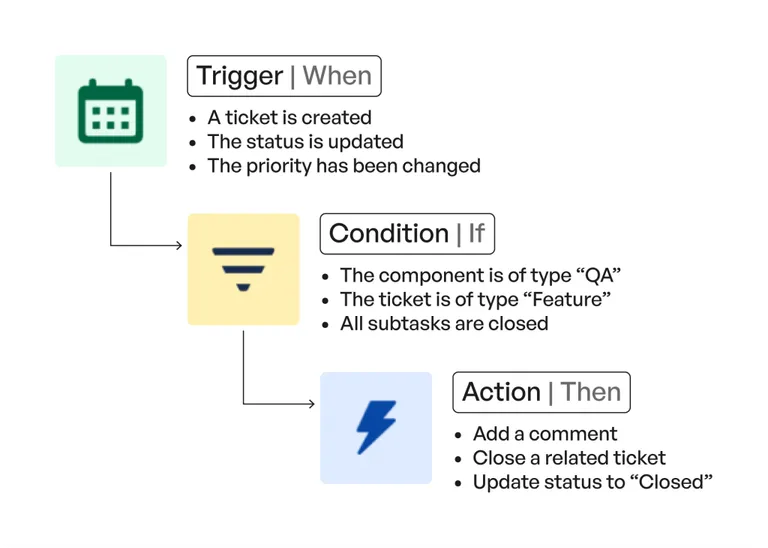
Example of the Creation of a Jira Automation Rule
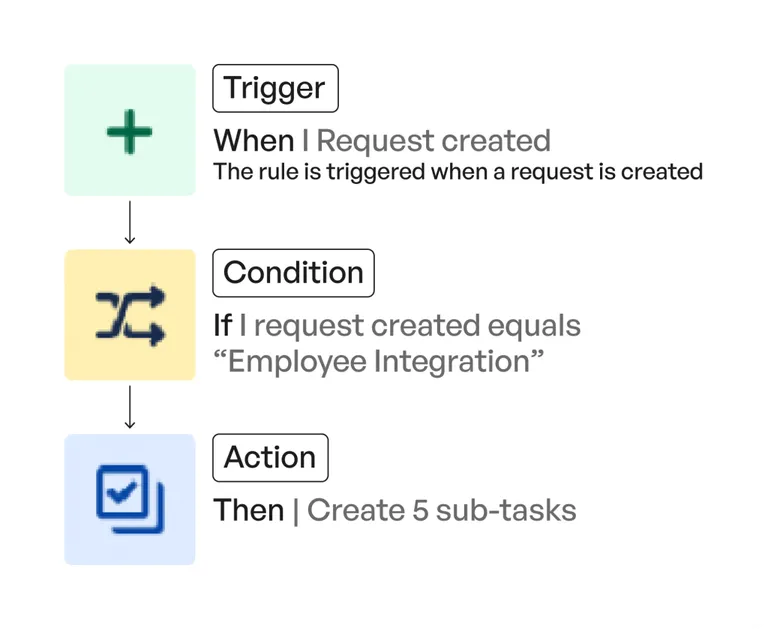
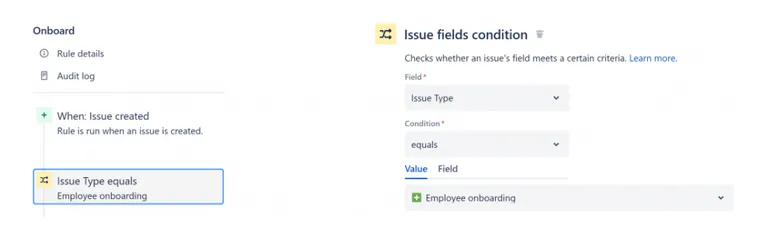
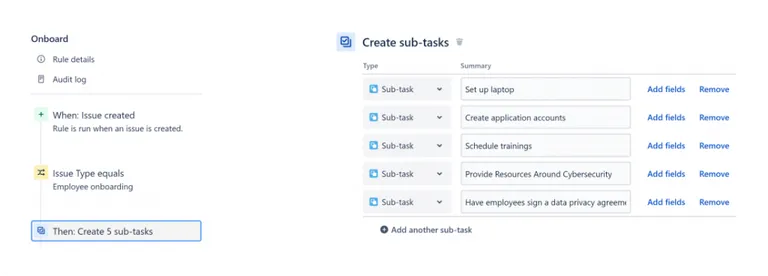
Let’s take the example of a rule that allows you to automatically create a variety of sub-tasks when a new employee is hired.
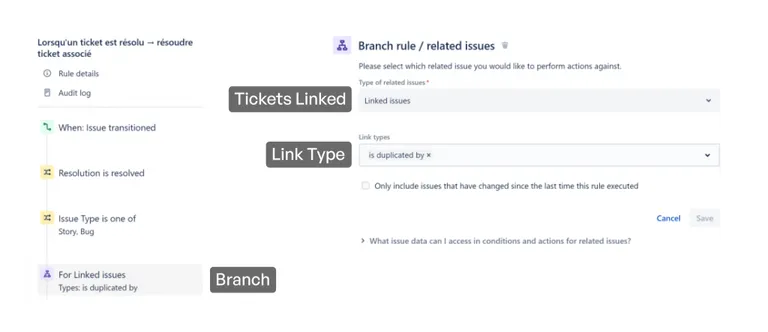
Jira issues have a particularity: they rarely exist in isolation. Instead, they are often linked to other issues or contain sub-tasks. With Jira Automation, you can apply actions to child, parent, or other related issues from the “source” issue of the trigger. Below, the action will be applied to related issues with the link type “is duplicated by.”
Top 5 Jira Automation Rules
1. Automatic creation of sub-tasks
This Jira automation feature can be used when hiring a new employee or to create sub-tasks for a user story (acceptance criteria).
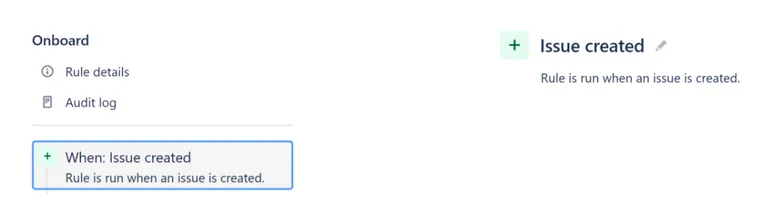
Trigger
Condition
Action
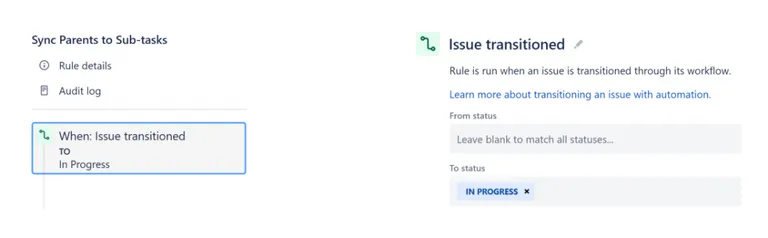
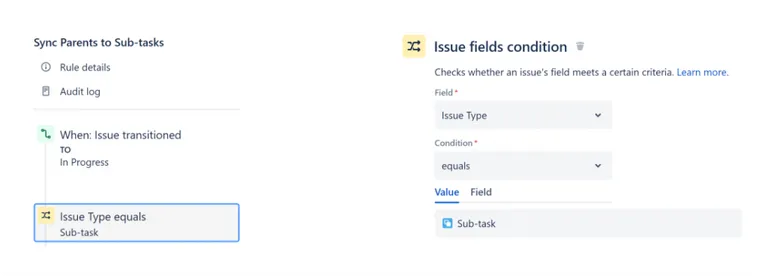
2. Synchronization of Child Tasks with the Parent Issue
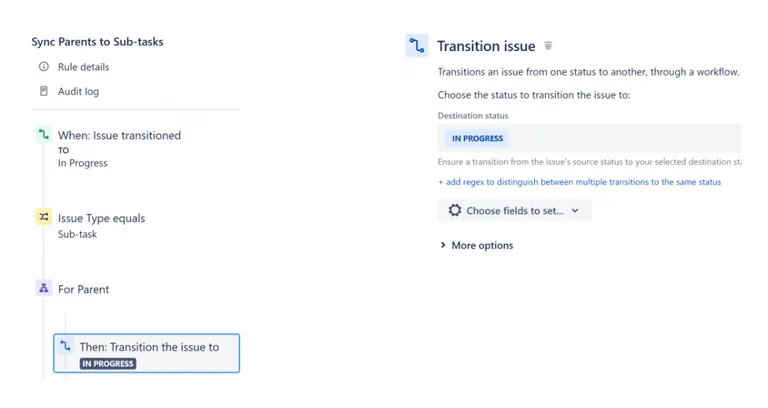
This Jira automation feature lets teams focus on child tasks, eliminating the need to manually update a parent issue. For example, if the status of a child task changes to “in progress,” the status of the parent issue is synchronized automatically.
Trigger
Condition
Branch
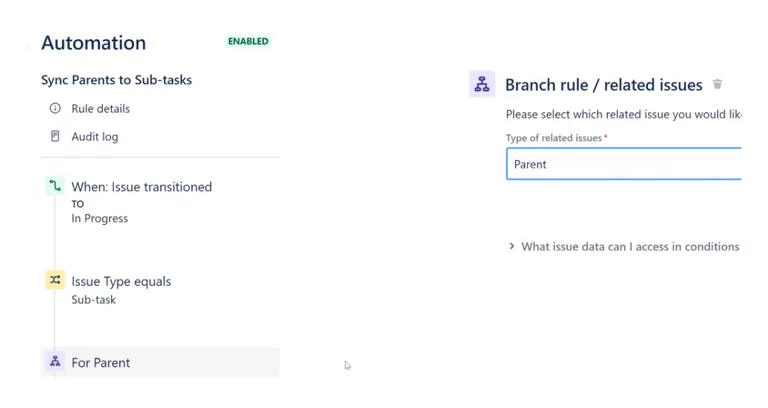
Action
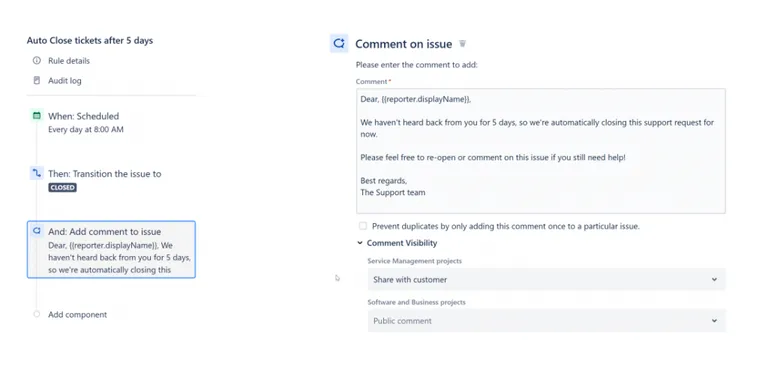
3. Jira Service Management: Automatic closing of support tickets
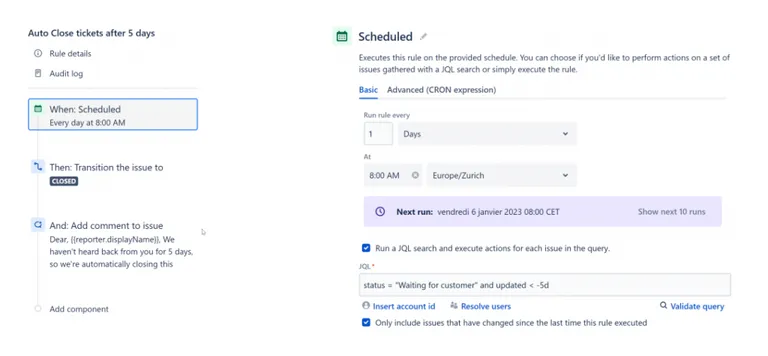
The simplest use cases are often the most beneficial, and this Jira automation feature is no exception to the rule. It involves the daily verification of support tickets. If a ticket has not been answered by a customer for more than 5 days:
- The ticket is closed automatically;
- A message is sent automatically;
- If necessary, the customer can come back and comment on the ticket.
Trigger
Condition
In this case, there’s no condition because the scope is defined in the JQL request of the trigger.
Action
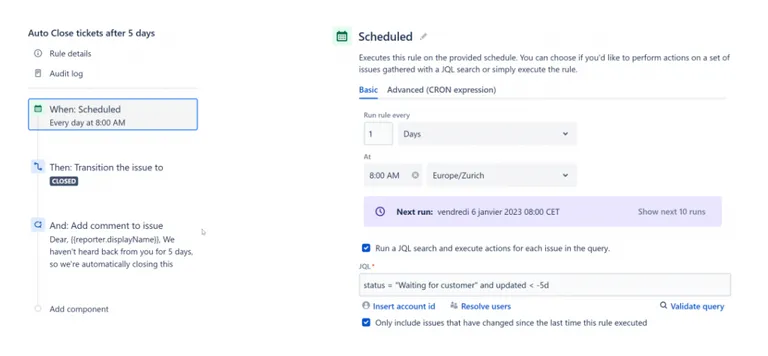
The ticket status is set to “closed.”
Action
Addition of a comment visible to the public
4. Synchronization of Support and Development Tickets
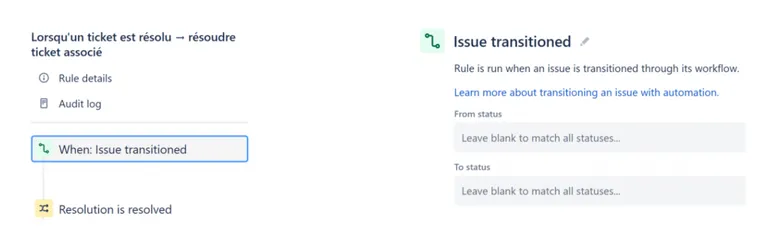
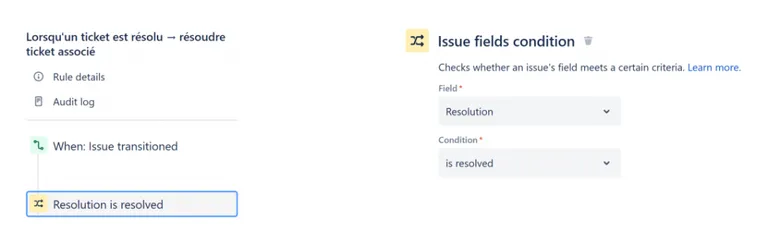
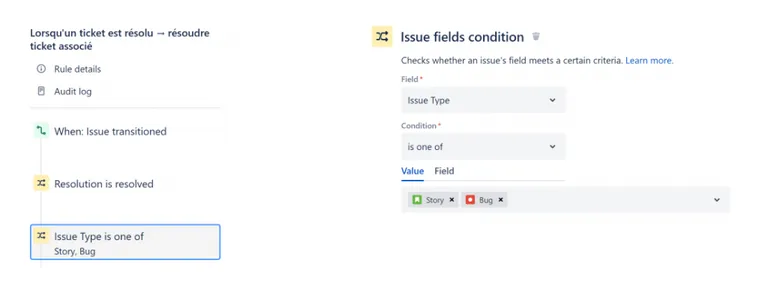
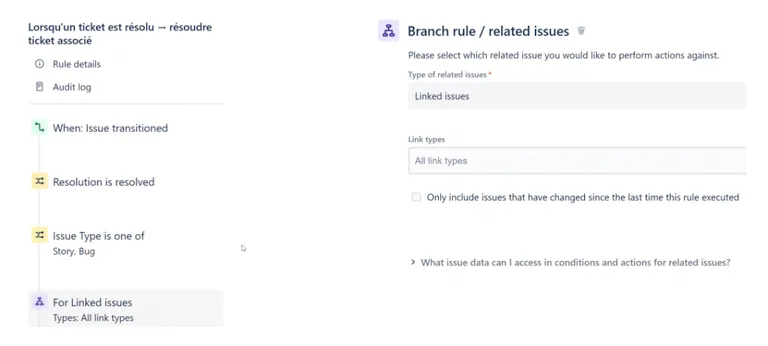
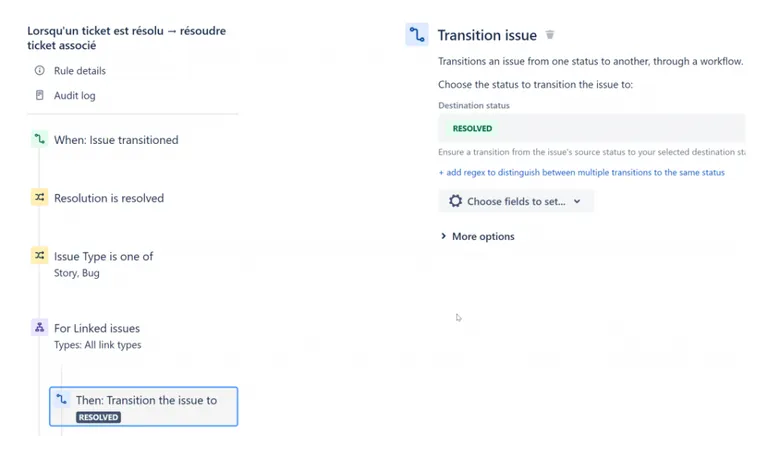
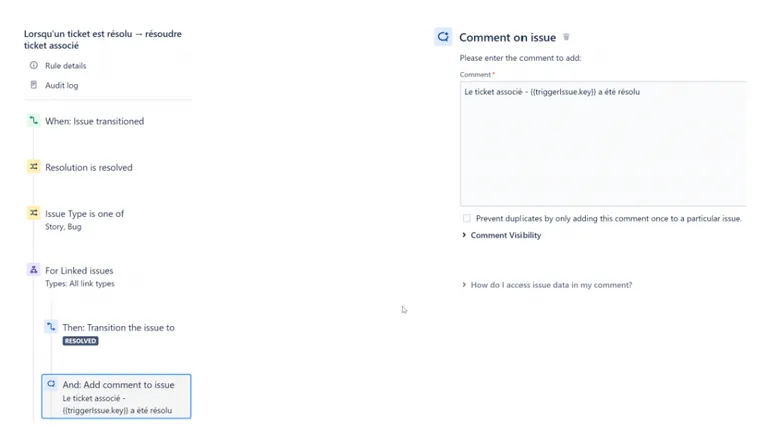
Support tickets often require a specific development from a team. In this case, the best practice is to create a ticket linked to the support request and a ticket linked to the development request, then synchronize the two tickets. This way, the support team will be alerted when the development team delivers the requested modification or feature.
Trigger
Condition
Condition
Branch
Action
Action
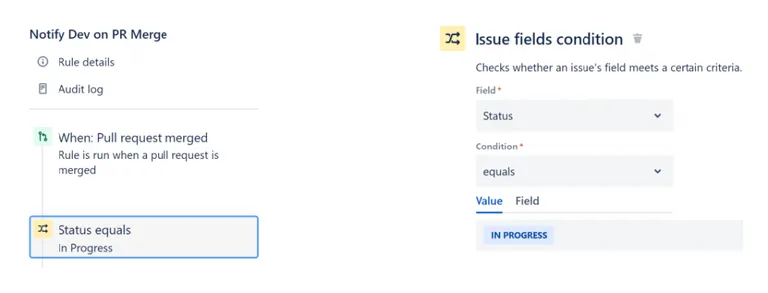
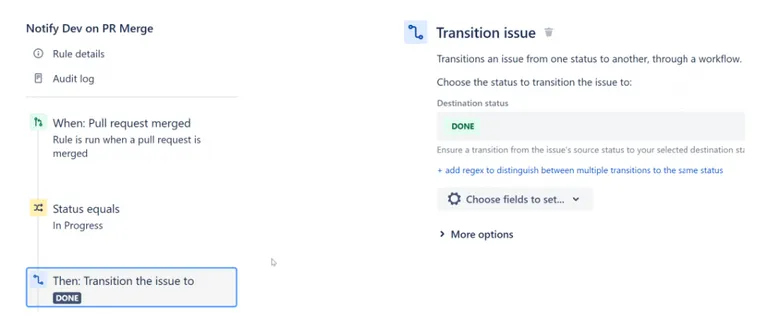
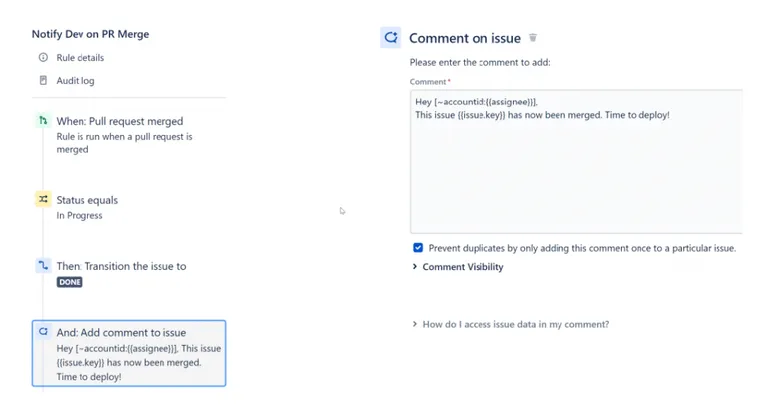
5. DevOps: Update a Jira issue during a “Pull Request Merge”
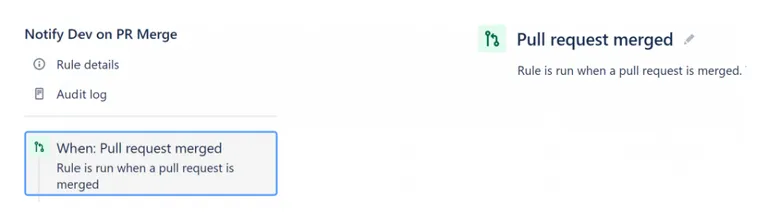
This rule automates the CI/CD process. The status of the Jira issue automatically changes to “Done” when a “Pull Request” is merged in Bitbucket, GitLab, or GitHub.
Trigger
Condition
Action
Action
We have teamed up with Atlassian to implement tools that standardize the projects of our customers and therefore provide for greater transparency. The automation of workflows achieved by its comprehensive range of software and applications (such as the Atlassian Suite) is indeed a real asset for companies.